Hypervisors, Explained: Part I - The Basics

Contents
Welcome to my first blog post! 👋
After an eventful end to 2025 (ifykyk), it seemed like the right time to share some of the knowledge I’ve gained over the years. Given my focus over the past 2-3 years has been hypervisor vulnerability research, this was a natural place to start.
When I first started looking for vulnerabilities in hypervisors, I found it a very hard place to get started. There are limited resources online that explain the background concepts needed to get stuck in and find bugs. You need an intimate understanding of Intel’s manuals1 to understand hypervisor source code.
With that in mind, I’ve started this multi-part blog series which explains how hypervisors actually work - from the basic high-level concepts all the way to analysing and exploiting past CVEs in real-world hypervisors. I personally think hypervisors are one of the best vulnerability research targets out there, and I hope by the end of this series you’ll agree!
This post provides an overview of the foundational concepts of hypervisors which will set the scene for later posts. This post isn’t designed to be highly technical, but we’ll get to it soon, don’t worry!
It’s worth noting that this series assumes some background in vulnerability research. I would expect readers to have a basic understanding of C and how to exploit simple memory corruption vulnerabilities. If you’re feeling a bit rusty, go check out the fantastic “Vulnerability Researcher Development Program” content released by Interrupt Labs on GitHub.2
📖 Definitions
Before we continue, let’s define a few basic terms so we’re on the same page.
Virtual Machine
A virtual machine is an emulated computer. To put it simply, it’s when we want to run a computer inside another computer. It doesn’t run on physical hardware, but the virtual machine is none the wiser. We usually call a virtual machine the “guest”.
Hypervisor
A hypervisor is the software responsible for managing multiple virtual machines on a physical computer. The “host” usually refers to the hypervisor itself and the physical computer on which it runs.
It is the responsibility of the hypervisor to provide the illusion of running on “physical” hardware to the virtual machine. When a guest interacts with “physical” hardware devices, the hypervisor intercepts the I/O event and emulates how a real hardware device would act.
Type 1 vs Type 2
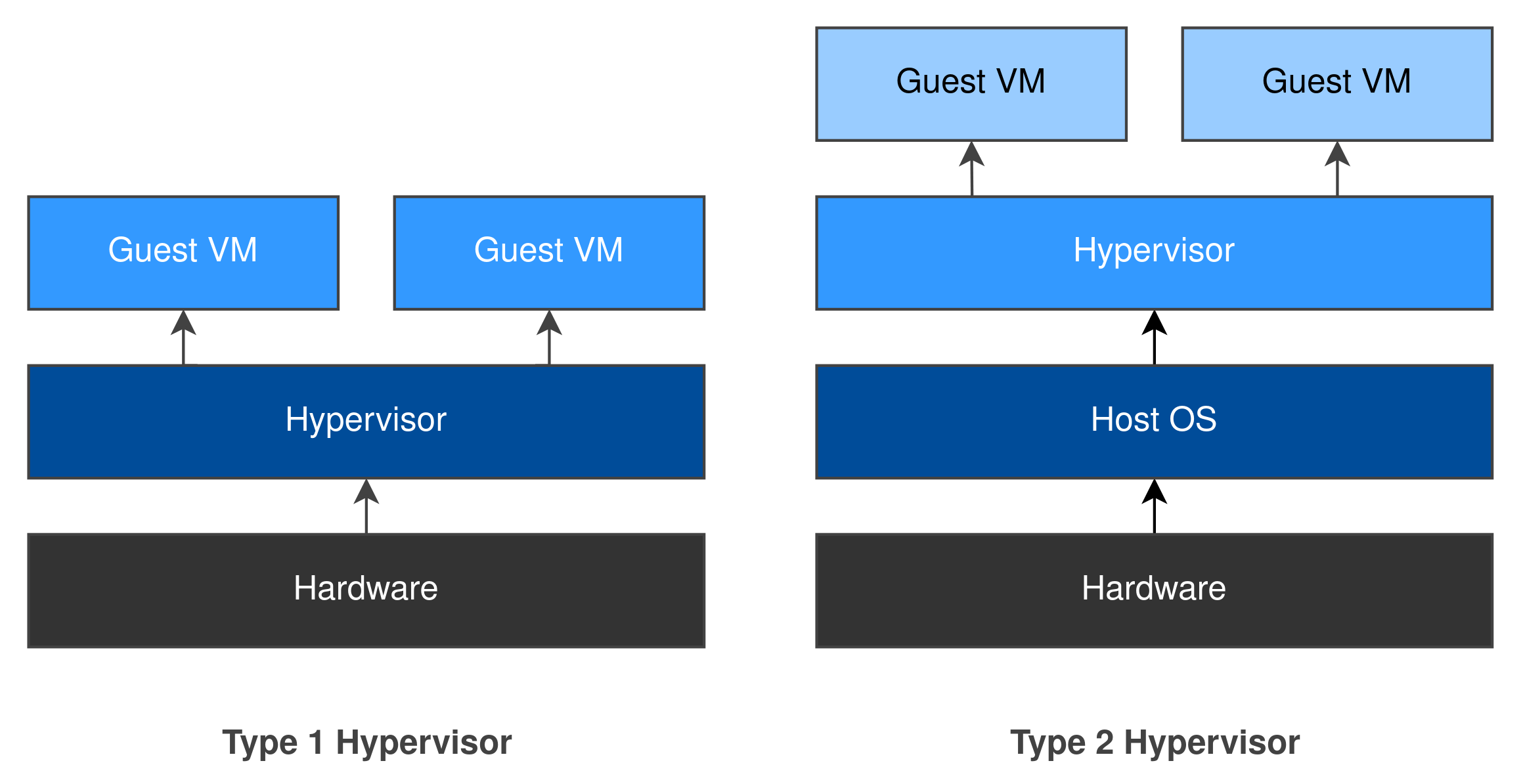
Hypervisors can be split into two groups: a type 1 hypervisor runs directly on the host’s hardware, whereas a type 2 hypervisor is installed as an application within the host’s existing operating system. These terms were coined by Robert P. Goldberg in his 1973 thesis Architectural Principles for Virtual Computer Systems.3 We’ll be looking at his work in more detail during later posts.
Type 1 Hypervisors: Hyper-V, Xen, VMware ESXi.
Type 2 Hypervisors: VMware Workstation, Oracle VirtualBox, Parallels Desktop.
A type 1 hypervisor interacts directly with system resources which can be allocated to guests whereas a type 2 hypervisor must interact with the host’s operating system to obtain system resources. For this reason, a type 1 hypervisor often provides better performance as there’s no operating system “in the way”.
We’ll explore the architectures of type 1 and type 2 hypervisors in a later post as they differ significantly.
Nested Virtualization
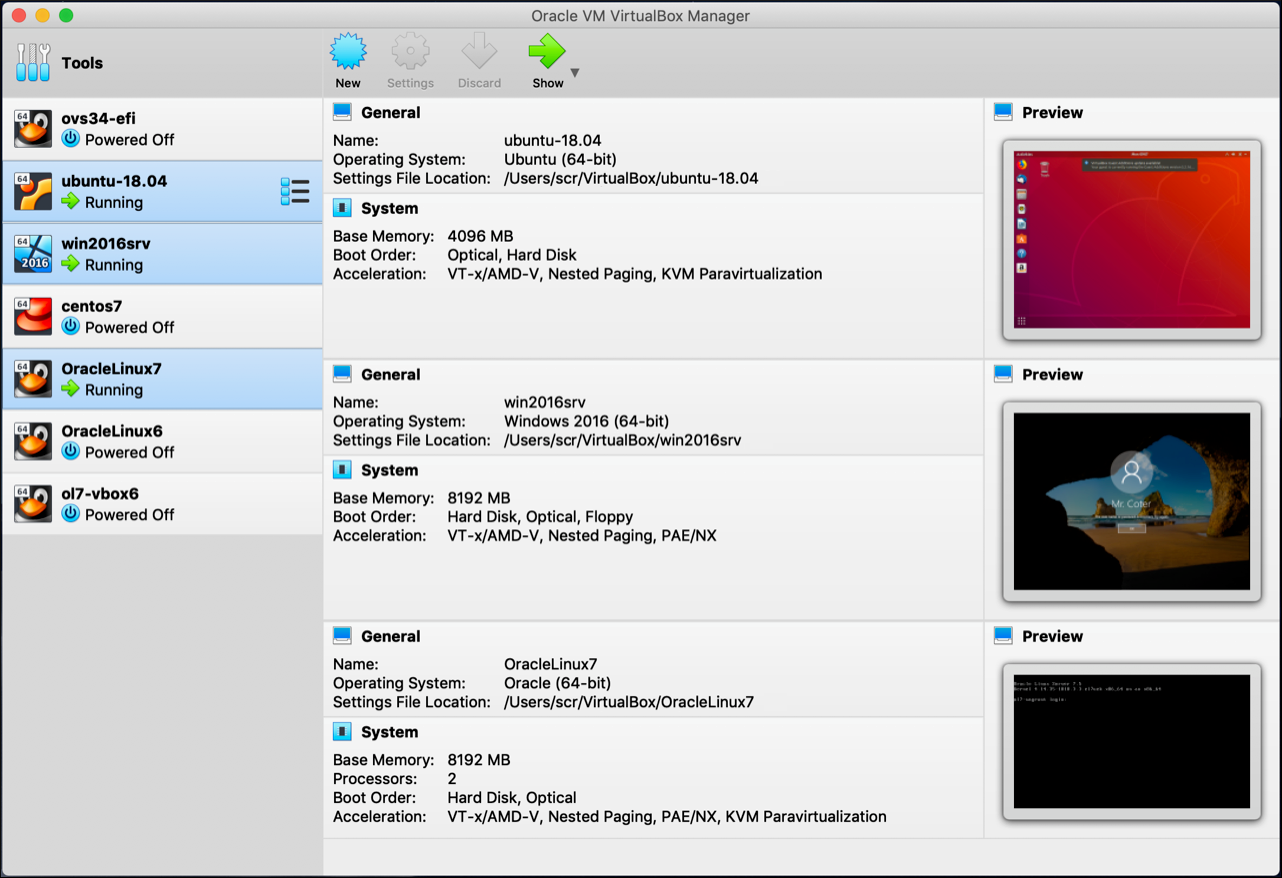
It’s possible to run a hypervisor as a guest inside another hypervisor! 🤯
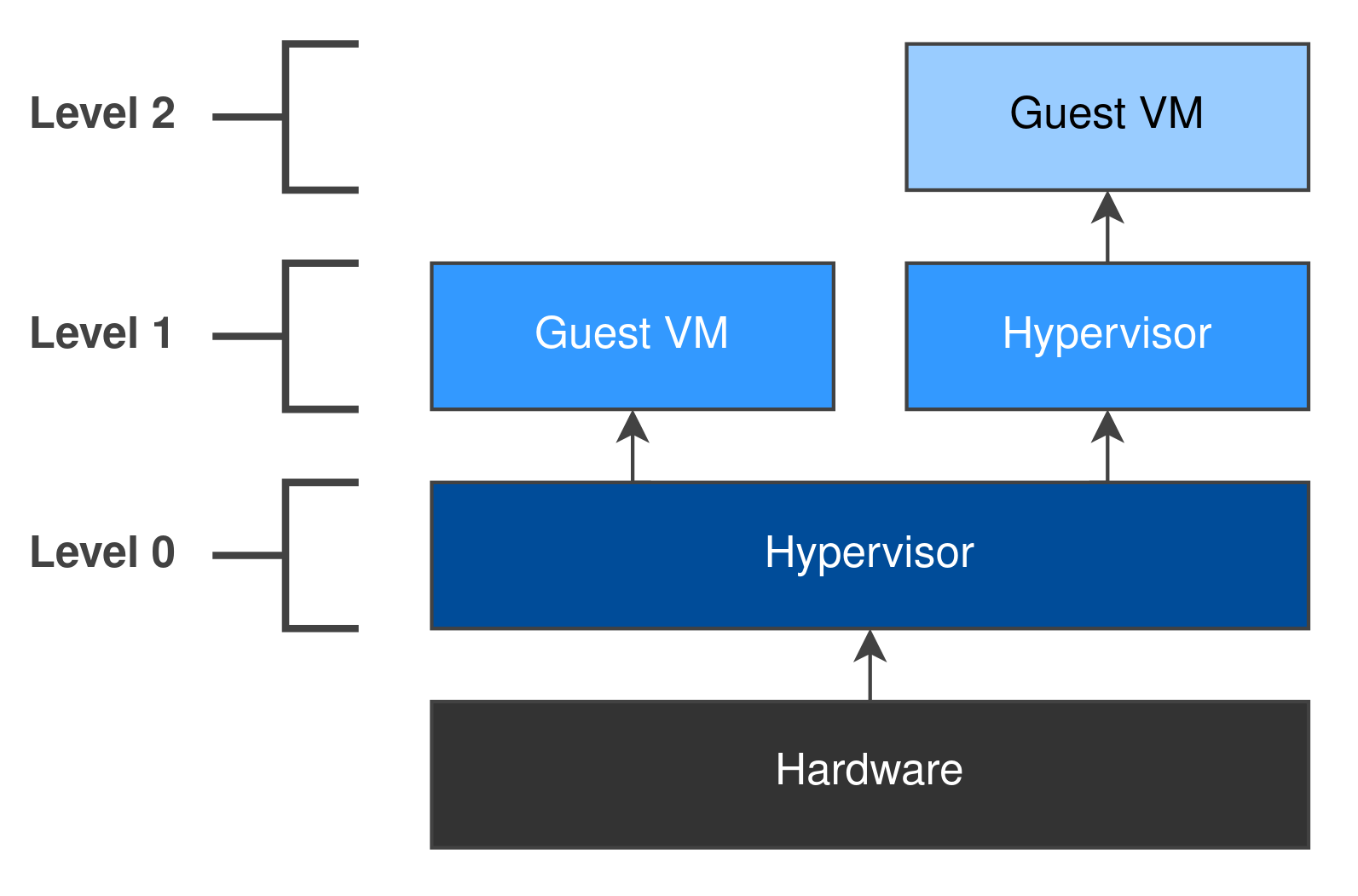
This gives us a hierarchy of virtual machines. The host hypervisor is at Level 0, the guest hypervisor is at Level 1, and the virtual machine running inside the guest hypervisor is at Level 2.
When we start exploiting hypervisors in later posts, nested virtualization will come in extremely handy - we don’t want to exploit or crash our host machine! We can also attach GDB to the guest hypervisor for debugging purposes.
🗺️ Hypervisors In The Wild
Hypervisors are everywhere - and we often don’t realise!
The Cloud
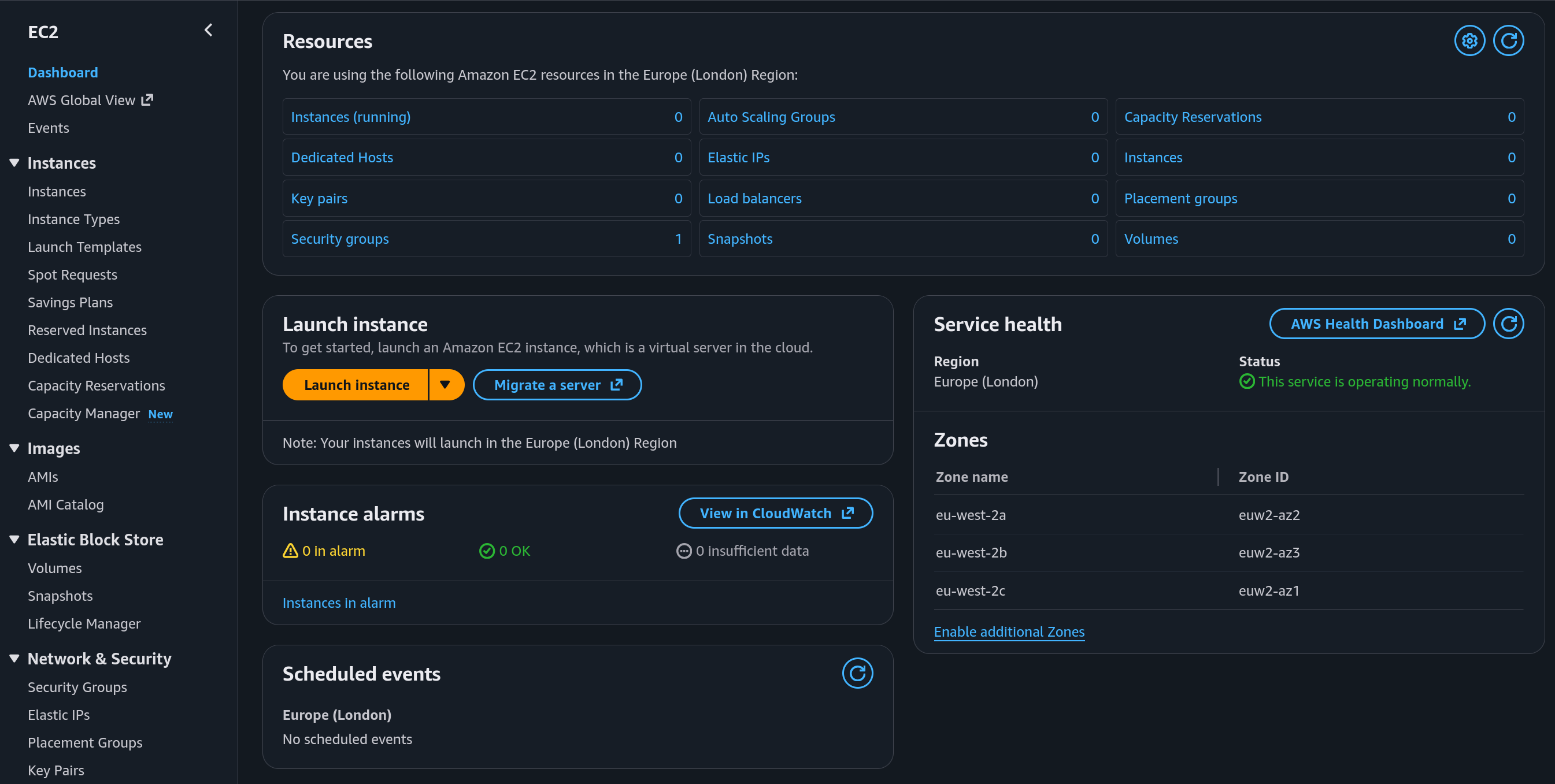
Cloud computing is essentially the monetized form of hypervisors. Instead of buying your own physical servers, you rent access to a virtual machine managed by a cloud service provider (e.g. AWS EC2). Most modern web applications are deployed using exclusively cloud resources. wiz.io is a great example!
Malware Analysis
Virtual machines allow you to safely detonate malware without compromising the host system. As a bonus, the hypervisor has full access to everything the guest is doing while the malware is running. This access can be leveraged to automatically extract malware signatures, IoCs, and C2 URLs.
Note that some types of malware will try to detect if it is running inside a virtual machine and change its behaviour to avoid analysis and detection!
Endpoint Security
In Windows 10, Microsoft introduced Virtualization-Based Security (VBS).4 This uses Hyper-V, Microsoft’s proprietary hypervisor, to create an isolated virtual environment that helps protect the operating system from exploitation.
Some Android phones also feature a hypervisor as a security mitigation against vulnerabilities in the kernel; for example, Samsung’s Real-time Kernel Protection.5 We won’t cover mobile hypervisors in this series, but if you’re interested, I’d highly recommend Dayzerosec’s post on reverse engineering Samsung’s hypervisor.6
🛡️ Threat Model
Given the use cases above, it’s highly likely that someone on the Internet has remote code execution within a guest virtual machine with kernel mode privileges. Think about AWS EC2 - if you created the EC2 instance, you have the root user password. You can remotely access the machine and load your own kernel modules!
The goal for an attacker is to escape the virtual machine and gain control of the hypervisor - a “guest-to-host escape”.
As an attacker has total control of a guest’s actions, any data the hypervisor processes from a guest should not be trusted. For example, the code within the hypervisor responsible for emulating a physical hard drive will have to process data which the guest wants to save to disk. If the hypervisor doesn’t handle this data correctly, this can result in a vulnerability.
Given the complexity of a hypervisor, it’s useful to develop a mental model of its attack surface to help structure our research. These components aren’t clear-cut, but it’s a good place to start! Full credit to Alisa Esage for initially developing this model.7
Virtual Machine Monitor (VMM)
This component provides the “core” virtualization functions to a guest including CPU and MMU virtualization. It also handles virtual machine creation and destruction.
This is essentially what KVM is! To create a fully functioning virtual machine, you need other software to provide I/O virtualization. This is where QEMU steps in!
I/O Virtualization
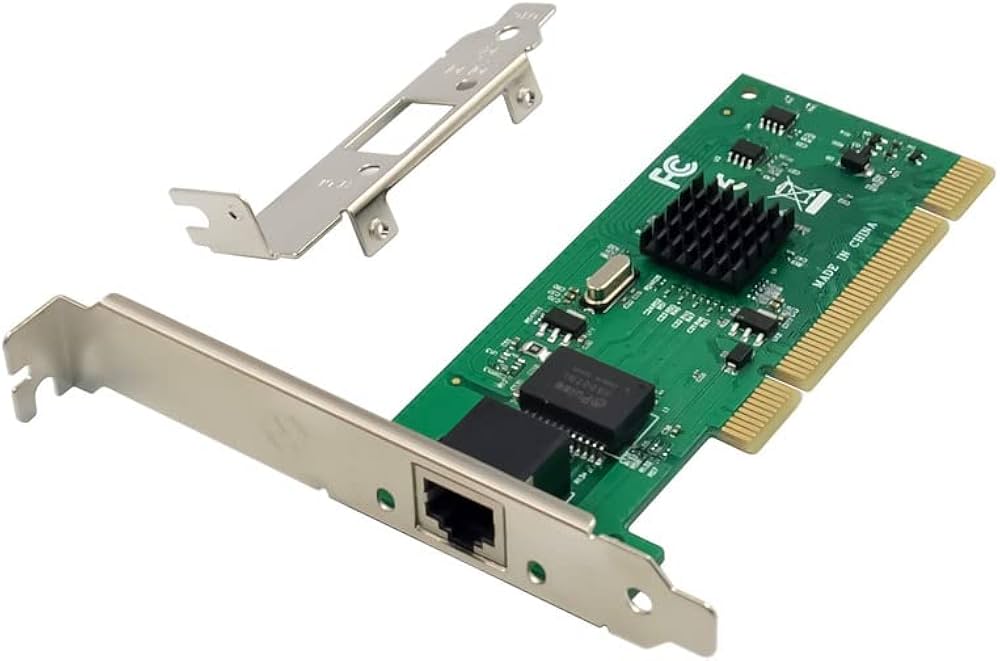
Responsible for emulating physical hardware devices for virtual machines. For example, QEMU includes code to emulate an Intel e1000 NIC which provides a guest with network connectivity.8
Emulating physical hardware devices is relatively slow. In search of higher performance, modern hypervisors have turned to “paravirtualization”. This is where the guest is “enlightened” that it is running in a virtual environment and will use more efficient methods for I/O.
Guest Additions
Some hypervisors include features which aim to improve usability for the end user. For example, shared folders or a shared clipboard between host and guest.
Note that I/O virtualization and guest additions will often be implemented on top of primitives that the VMM provides. You can think of them as VMM “extensions”.
🚨 The Vulnerability Landscape
We can categorise the impact of hypervisor vulnerabilities into 3 main groups:
- Denial of Service (DoS) - triggering an irrecoverable failure
- Within the host
- Within another guest
- Information Leak - gaining access to memory or data outside of the guest
- From the host
- From another guest
- Remote Code Execution (RCE) - running arbitrary code outside of the guest
- Within the host 🌟
- Within another guest
RCE within the host, or a guest-to-host escape, is usually what we are aiming for! 😁
A DoS generally implies that a process somewhere has crashed. Normally, exploit developers view a crash as a failure - it can result in noisy log messages and often means that your exploit can’t be retried. Strangely, in the world of hypervisors, a DoS can actually be a good result.
To explain why, let’s continue with our AWS EC2 example. Let’s imagine you figure out a way to guarantee that all your EC2 instances are running on different hosts within an Amazon data centre. You happen to know that the hypervisor includes a vulnerability which you can use to crash the host. You then run thousands of EC2 instances which all run your exploit code at the same time…
While the root cause was different, this scenario might sound similar to the October 2025 us-east-1 AWS outage which had global implications.9
🤔 Why Hypervisors?
From a vulnerability research perspective, hypervisors are uniquely attractive targets. They’re complex systems with large attack surfaces that manage billions of devices across the world. They are considered a critical security boundary but are often overlooked as vulnerability research targets.
- Hypervisors straddle the line between hardware and software and require an in-depth understanding of both components to find vulnerabilities.
- A hypervisor has a huge attack surface similar to that of a modern operating system or browser. After all, a hypervisor has to emulate an entire computer!
- It’s highly likely the device you’re reading this on, whether it’s a laptop or mobile phone, is running a hypervisor. The web server hosting this blog is running a hypervisor. Hypervisors are everywhere! This makes vulnerabilities in hypervisors critical - they can affect a significant portion of devices on the Internet all at once.
⏳ Next Time…
In the next post, we’ll discuss the various methods of supporting virtualization on x86 CPUs, focusing on Intel VT-x.
📝 Footnotes
Footnotes
-
https://www.intel.com/content/www/us/en/developer/articles/technical/intel-sdm.html ↩
-
https://learn.microsoft.com/en-us/windows-hardware/design/device-experiences/oem-vbs ↩
-
https://docs.samsungknox.com/admin/fundamentals/whitepaper/samsung-knox-mobile-security/system-security/real-time-kernel-protection/ ↩
-
https://dayzerosec.com/blog/2025/03/08/reversing-samsungs-h-arx-hypervisor-part-1.html ↩
-
https://gitlab.com/qemu-project/qemu/-/raw/cd5a79dc98e3087e7658e643bdbbb0baec77ac8a/hw/net/e1000.c ↩